Requesting Media & AV Services
Information about AV Support from Help@Law:
- Only for instructors and for courses taught in the Law Building
- Classrooms must be reserved before requesting media equipment or services.
- Media equipment and services are available only within the Law School or the Law Library. They may NOT be checked out for use outside the building.
- Not all equipment or services are available at all times. Please submit your requests with as much advanced notice as possible.
- A confirmation of receipt is sent within a working day. If you do not receive the confirmation within 24 hours, please call or email again.
- Please provide at least 72 hours notice for equipment and services.
Law School Rooms & Features
Summarizes available media & AV equipment in each room. Some rooms require special premission or admin approval to reserve.
For assistance with the AV equipment in any of the listed rooms, please contact Help@Law.
Room 2211 - Michael Best & Friedrich Hall - 71 Seats
Features of the room:
- A touch screen control panel mounted to a podium
- Built-in computer with flat screen monitor
- Laptop HDMI and VGA connections
- Built-in Blu-Ray and CD player
- Document camera (Wolfvision)
- Zoom capabilities (requires use of built in computer)
- Webcam on podium
- Ceiling microphones and lapel microphone audio
- A wireless lapel type microphone and body pack transmitter
- Ceiling mounted projector and screen
- Chalkboard and portable whiteboard

Room 2225 - 45 Seats
Features of the room:
- A touch screen control panel mounted to a podium
- Built-in computer with flat screen monitor
- Laptop HDMI and wireless connections
- Document camera (Wolfvision)
- Built-in Blu-Ray player
- Zoom capabilities (requires use of built in computer)
- HD Camera mounted pointing at front half of room
- Ceiling microphones, lapel microphone, and handheld microphone audio
- Wireless lapel type microphone and handheld microphone (for recording and Zoom only, does not amplify in room)
- Ceiling mounted projector and screen
- Whiteboard
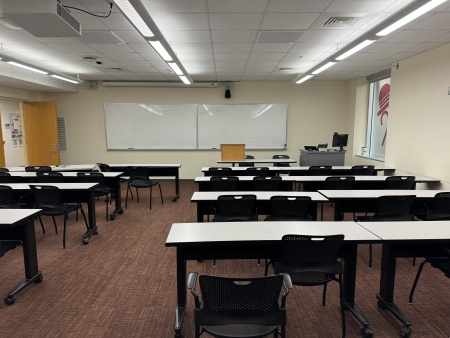
Room 2266 - 24 Seats
Features of the room:
- A touch screen control panel mounted to a podium
- Built-n computer with flat screen monitor
- Laptop VGA connection
- Document camera (Wolfvision)
- Zoom capabilities (requires use of built in computer)
- Webcam on podium
- Ceiling microphones audio
- Ceiling mounted projector and screen
- Chalkboard
NOTE: Entry to room is off Atrium, continue past room 2260, it's on the right.
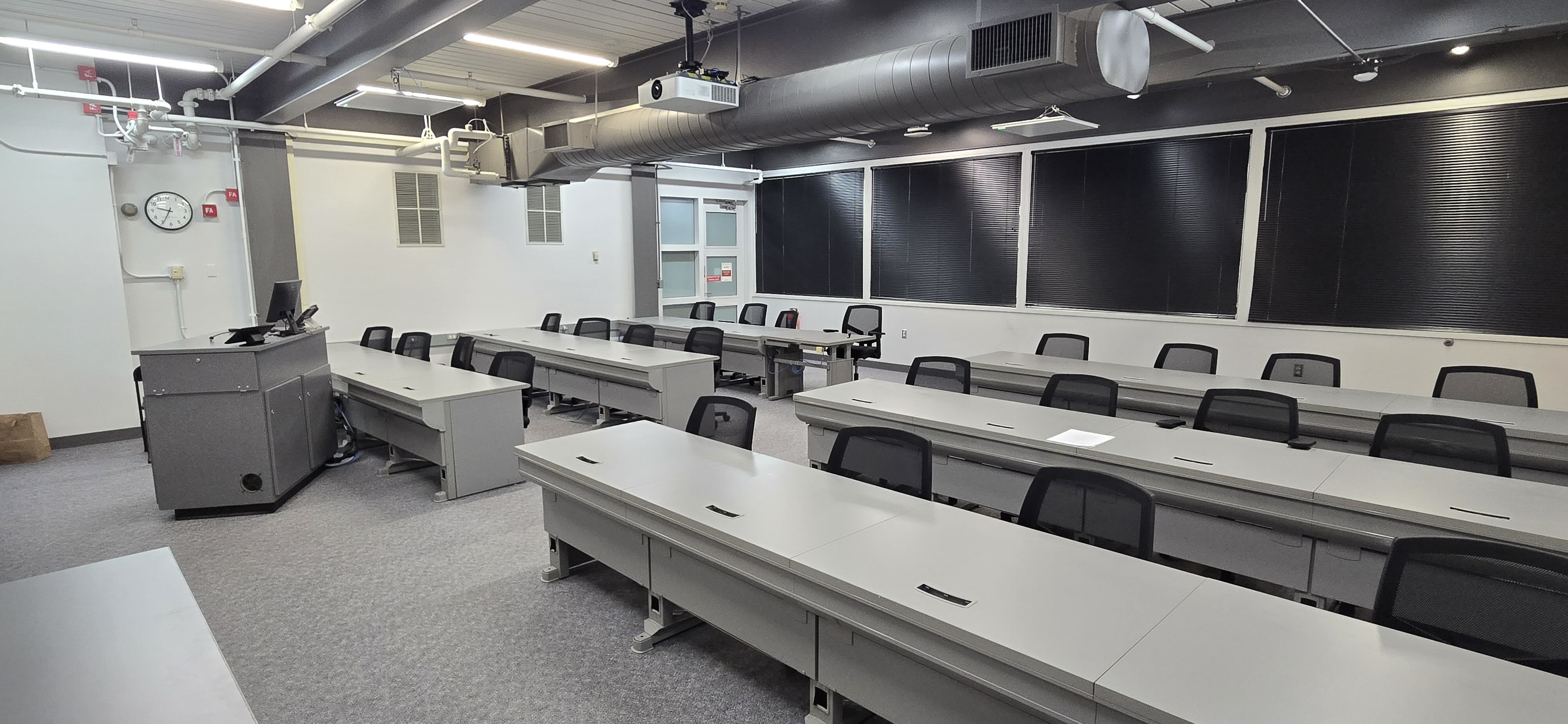
Room 2260 - Godfrey & Kahn Hall - 125 Seats
Features of the room:
- A touch screen control panel mounted to a podium
- Built-n computer with flat screen monitor
- Laptop HDMI, VGA, and wireless connections
- Built-in Blu-ray and CD player
- Document camera (Wolfvision)
- Zoom capabilities (requires use of built in computer)
- Webcam on podium
- Ceiling microphones and lapel microphone audio
- A wireless lapel type microphone and body pack transmitter
- Temporary additional microphones can be added with advance notice
- Ceiling mounted projector and screen
- Chalkboard
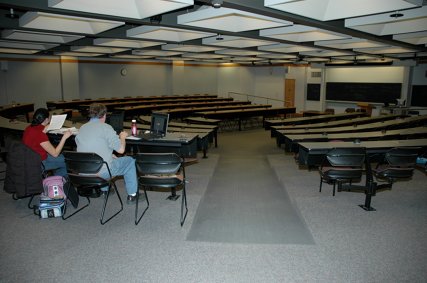
Room 3247 - Class of 1969 Room - 24 Seats
Features of the room:
- A touch screen control panel mounted to a podium
- Built-in computer with flat screen monitor
- Laptop VGA connection
- Built-in DVD/CD/VCR player
- Document camera (Wolfvision)
- Zoom capabilities (requires use of built in computer)
- Webcam on podium
- Ceiling microphones audio
- Ceiling mounted projector and screen
- Chalkboard

Room 3250 - Appellate Court Room - 83 Seats
Features of the room:
- A touch screen control panel mounted to a podium
- Built-in computer with flat screen monitor
- Laptop HDMI, VGA, and wireless connections
- Built-in Blu-Ray and CD player
- Document camera (Wolfvision)
- Zoom capabilities (requires use of built in computer)
- Webcam on podium
- Ceiling microphones and lapel microphone audio
- A wireless lapel type microphone and body pack transmitter
- Ceiling mounted projector and screen
- Chalkboard and small portable whiteboard

Room 3253 - Class of 1967 Room - 46 Seats
Features of the room:
- A touch screen control panel mounted to a podium
- Built-in computer with flat screen monitor
- Laptop HDMI and wireless connections
- Built-in Blu-Ray player
- Document camera (Wolfvision)
- Zoom capabilities (requires use of built in computer)
- HD Camera mounted pointing at front half of room
- Ceiling microphones, lapel microphone, and handheld microphone audio
- Wireless lapel type microphone and handheld microphone (for recording and Zoom only, does not amplify in room)
- Ceiling mounted projector and screen
- Whiteboard

Room 3260 - Foley & Lardner Courtroom - 49 Seats
Features of the room:
- A touch screen control panel mounted to a podium
- Built-in computer with flat screen monitor
- Laptop HDMI, VGA, and wireless connections
- Built-in Blu-Ray and CD player
- Document camera (Wolfvision)
- Zoom capabilities (requires use of built in computer)
- Webcam on podium
- Ceiling microphones, lapel microphones, and handheld microphones audio
- Two wireless lapel type microphone and two handheld microphones
- Ceiling mounted projector and screen (classroom side only)
- Portable whiteboard

Room 3261 - William H. and Marion K. Freytag Room - 18 Seats
Features of the room:
- A touch screen control panel mounted to a podium
- Built-in computer with flat screen monitor
- Built-in VCR / DVD player
- Document camera (Wolfvision)
- Zoom capabilities (requires use of built in computer)
- Webcam on podium
- Ceiling microphones audio
- Wall mounted display of multimedia content
- Whiteboard

Room 3268 - Class of 1981 Room - 18 Seats
Features of the room:
- Built-in computer with flat screen monitor
- Built-in VCR / DVD player
- Document camera (Wolfvision)
- Zoom capabilities (requires use of built in computer)
- Webcam on podium
- Ceiling microphones audio
- Wall mounted display of multimedia content
- Whiteboard

Room 5223 - Class of 1986 Room - 40 Seats
Features of the room:
- A touch screen control panel mounted to a podium
- Built-in computer with flat screen monitor
- Laptop HDMI, VGA, and wireless connection
- Built-in Blu-Ray and CD player
- Document camera (Wolfvision)
- Zoom capabilities (requires use of built in computer)
- Webcam on monitor
- Ceiling microphones, lapel microphone audio
- Wireless lapel type microphone (for recording and Zoom only, does not amplify in room)
- Ceiling mounted projector and screen
- Chalkboard

Room 5229 - Class of 1941 Room - 70 Seats
Features of the room:
- A touch screen control panel mounted to a podium
- Built-in computer with flat screen monitor
- Laptop HDMI, VGA, and wireless connection
- Built-in VCR / DVD player
- Document camera (Wolfvision)
- Zoom capabilities (requires use of built in computer)
- Webcam on monitor
- Ceiling microphones and lapel microphone audio
- Wireless lapel type microphone (for recording and Zoom only, does not amplify in room)
- Ceiling mounted projector and screen
- Chalkboard

Room 5240 - 94 Seats
Features of the room:
- A touch screen control panel mounted to a podium
- Built-in computer with flat screen monitor
- Laptop HDMI and VGA connections
- Built-in Blu-ray and CD player
- Document camera (Wolfvision)
- Zoom capabilities (requires use of built in computer)
- Webcam on monitor
- Ceiling microphones and lapel microphone audio
- A wireless lapel type microphone and body pack transmitter
- Temporary additional microphones can be added with advance notice
- Ceiling mounted projector and screen
- Whiteboard

Room 5246 - Ruder Ware & Michler Hall - 94 Seats
Features of the room:
- A touch screen control panel mounted to a podium
- Built-in computer with flat screen monitor
- Laptop HDMI, VGA, and wireless connections
- Built-in Blu-Ray and CD player
- Document camera (Wolfvision)
- Zoom capabilities (requires use of built in computer)
- Webcam on monitor
- Ceiling microphones and lapel microphone audio
- A wireless lapel type microphone and body pack transmitter
- Temporary additional microphones can be added with advance notice
- Ceiling mounted projector and screen
- Whiteboard

Rooms with Special Permissions
Library Study Rooms - 6 Seats
Reserve by emailing circ@law.wisc.edu.

Room 5215 - Dean's Suite - 12 Seats
Feature of the room:
- 52" multimedia display
Requires admin approval.

Room 7205 - Conference Room - 10 Seats
Requires admin approval.

Room 7200 - Sheldon B. Lubar Commons - 65 Seats
Can accommodate seating up to 65 people for receptions or lectures.
A faculty member must attend. Requires admin approval.
Features of the room:
- A touch screen control panel mounted to a podium
- Built-in computer with flat screen monitor
- Built-in VCR / DVD player
- A wireless lapel type microphone and body pack transmitter
- Ceiling mounted projector and screen
- Auto dimming lighting system with presets for various viewing situations incorporates the ability to record audio or video and hand held microphones for audience or panel discussions.
- Computer

Contact Help@Law
